
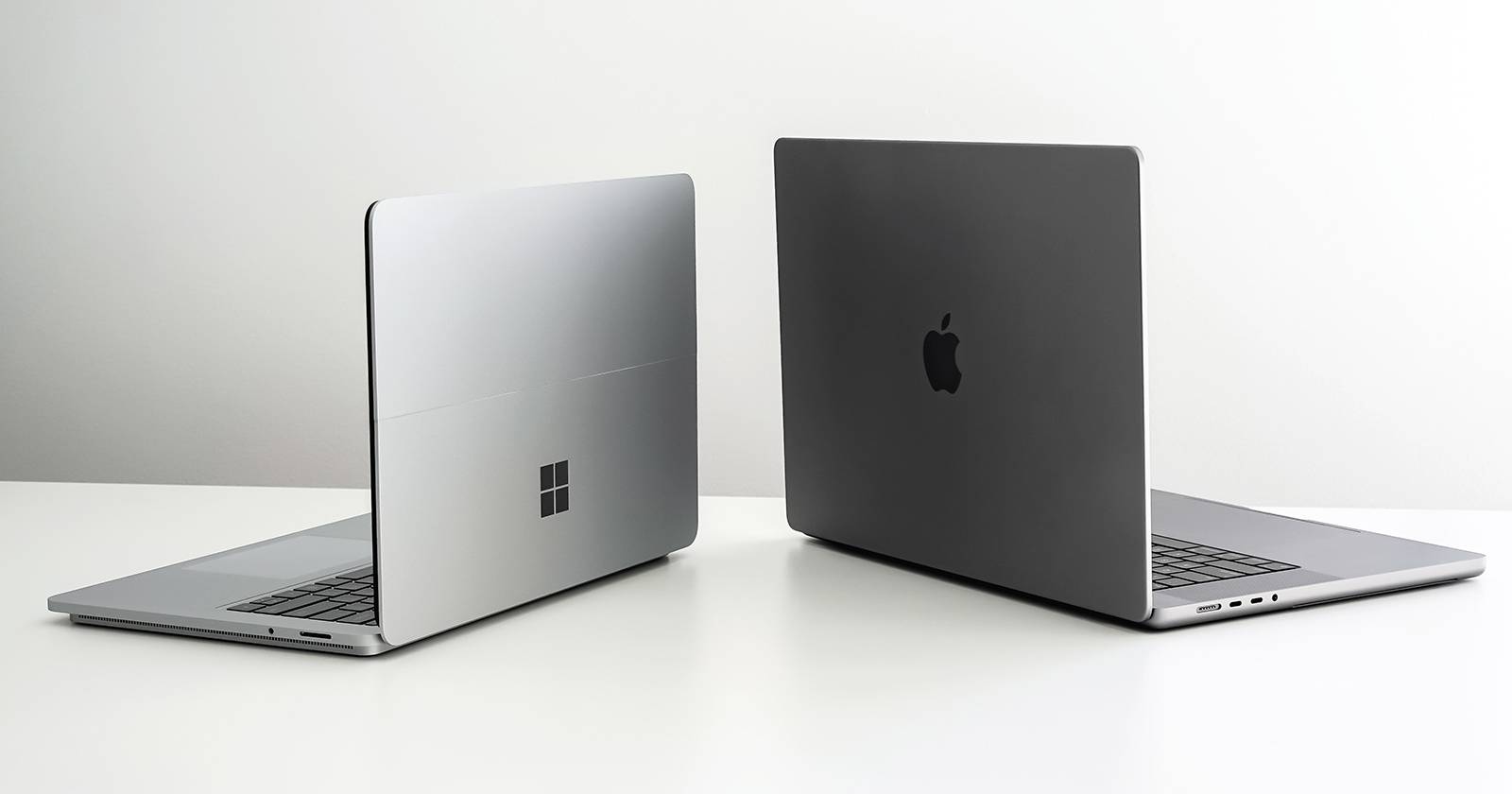
MacBook vs Windows Laptop (2026): Which Is Better & Worth Buying?

๐Ÿ’ป ULTIMATE LAPTOP COMPARISON 2026

MacBook vs Windows Laptop โ€” Which Is Better in 2026?

MacBook vs Windows Laptop

MacBook vs Windows Laptop (2026): Complete comparison of performance, gaming, battery life, creators, students, and software compatibility.

MacBook vs Windows Laptop is one of the biggest buying debates in 2026 โ€” and honestly, the answer is no longer simple.

Modern MacBooks powered by Apple Silicon (M5) are faster, quieter, and offer insane battery life. Meanwhile, Windows laptops powered by Intel Core Ultra, AMD Ryzen AI, and Snapdragon X Elite/X2 chips have become dramatically better than before.

So which one should you actually buy? A MacBook for creators and battery life? Or a Windows laptop for gaming, flexibility, software compatibility, and pricing?

In this complete MacBook vs Windows Laptop guide, we compare performance, gaming, software, battery life, pricing, student use, creator workflows, office work, and long-term value to help you make the right choice.

M5
Apple Silicon Era
AI PCs
Windows Evolution
2026
Latest Comparison
๐ŸŽ

MacBook

Better battery life, creators, students, ecosystem, and silent performance.

๐ŸชŸ

Windows

Better gaming, software support, customization, and flexibility.

๐Ÿ”ฅ WHY THIS MATTERS

Why This Comparison Matters in 2026

The MacBook vs Windows Laptop debate matters more than ever because laptops have changed dramatically in the last few years.

โšก

Performance Changed

Appleโ€™s M-series chips completely changed laptop performance, while Windows laptops caught up with AI processors.

๐Ÿ”‹

Battery Matters

People now expect all-day battery life instead of carrying chargers everywhere.

๐ŸŽฎ

Different Users Need Different Laptops

Students, gamers, coders, creators, and office workers all have different needs.

โš”๏ธ ROUND 1 โ€” DESIGN & EXPERIENCE

MacBook vs Windows Laptop Design, OS & User Experience

The first big difference in the MacBook vs Windows Laptop battle is the overall experience. Both feel completely different in daily use.

๐ŸŽ

MacBook

Minimal, premium & optimized

MacBooks feel extremely polished. macOS is smooth, optimized, and designed to work seamlessly with iPhones, iPads, AirPods, and the Apple ecosystem.

Features like AirDrop, Universal Clipboard, iPhone mirroring, Continuity Camera, and app syncing create an experience Windows still struggles to match.

โœ” What MacBook Does Better

  • Premium aluminum design
  • Excellent trackpad
  • Very smooth software experience
  • Apple ecosystem integration
  • Cleaner UI with less bloatware
๐ŸชŸ

Windows Laptop

Flexible, customizable & diverse

Windows laptops offer more flexibility than MacBooks. You can choose from brands like ASUS, Lenovo, Dell, HP, Acer, MSI, Razer, and more.

You also get more form factors โ€” ultrabooks, gaming laptops, touchscreens, OLED laptops, 2-in-1 convertibles, and budget options.

โœ” What Windows Does Better

  • Massive hardware variety
  • Touchscreen & 2-in-1 options
  • More customization
  • Better gaming support
  • More affordable choices

โš”๏ธ Head-to-Head Winner

๐Ÿ†

Design

MacBook wins for premium build quality.

โšก

Flexibility

Windows wins for options and customization.

๐Ÿ”ฅ

Daily Experience

MacBook feels smoother for most users.

For overall polish, the MacBook vs Windows Laptop battle slightly favors MacBook โ€” but Windows wins if you care about variety, hardware choice, and flexibility.

๐Ÿš€ ROUND 2 โ€” PERFORMANCE

MacBook vs Windows Laptop Performance Battle in 2026

Performance is where the MacBook vs Windows Laptop debate gets serious in 2026.

Appleโ€™s M5 chips are incredibly efficient, while Windows laptops now fight back with Intel Core Ultra, AMD Ryzen AI, and Snapdragon X Elite/X2 processors.

๐ŸŽ

Apple M5

Apple focuses on efficiency and optimization. MacBooks feel insanely fast for video editing, coding, multitasking, and creative work โ€” while staying cool and silent.

๐Ÿ”ฅ Best for creators & battery efficiency
โšก

Intel Core Ultra

Modern Intel laptops are far more power efficient than older generations and perform extremely well for office work, gaming, engineering, and productivity.

โšก Best all-rounder Windows chip
๐ŸŽฎ

AMD Ryzen AI

AMD Ryzen AI laptops are excellent for gaming, multitasking, creators, and heavy workloads โ€” often offering great performance for the price.

๐ŸŽฎ Best for gaming & performance
๐Ÿ”‹

Snapdragon X Elite/X2

Windows ARM laptops finally offer MacBook-level battery life, making them ideal for students and professionals who travel.

๐Ÿ”‹ Best for portability

๐ŸŽ MacBook Performance

  • Excellent video editing performance
  • Super optimized apps
  • Quiet & cool thermals
  • Great battery efficiency
  • Outstanding for creators & students

๐ŸชŸ Windows Performance

  • Better gaming performance
  • More hardware variety
  • Upgrade options available
  • Better engineering software support
  • Powerful high-performance laptops

๐Ÿ† Performance Winner

In the MacBook vs Windows Laptop battle, there is no universal winner.

๐ŸŽ MacBook Wins

For creators, battery efficiency, silent performance, and optimized apps.

๐ŸชŸ Windows Wins

For gaming, flexibility, engineering apps, and raw hardware choices.

๐Ÿ”‹ ROUND 3 โ€” BATTERY & PORTABILITY

MacBook vs Windows Laptop Battery Life, Thermals & Portability

Battery life has become one of the biggest deciding factors in the MacBook vs Windows Laptop debate in 2026.

Nobody wants to constantly carry a charger anymore. Students, professionals, creators, and remote workers now expect all-day battery life.

๐ŸŽ

MacBook

Battery king in 2026

MacBooks still dominate battery life in 2026. Apple Silicon (M5) is insanely efficient, often delivering 12โ€“20+ hours of real-world battery depending on the model and workload.

MacBooks also stay surprisingly cool and quiet. Even under heavy editing or multitasking, fan noise is minimal.

๐Ÿ”‹

Battery

12โ€“20+ hours

โ„๏ธ

Thermals

Cool & silent

๐ŸŽ’

Portability

Very travel friendly

โšก

Charging

Efficient USB-C/MagSafe

๐ŸชŸ

Windows Laptop

Much improved in 2026

Windows laptops are much better than before. Snapdragon X Elite/X2 machines now offer MacBook-like battery life, while Intel and AMD laptops have become far more efficient.

However, battery life varies massively depending on the laptop type. Gaming laptops still drain faster than ultrabooks.

๐Ÿ”‹

Battery

6โ€“16+ hours

๐Ÿ”ฅ

Thermals

Depends on laptop

๐Ÿ’ผ

Portability

Huge variety available

โš™๏ธ

Charging

Varies by model

๐Ÿ† Battery & Portability Winner

๐ŸŽ MacBook Wins

If you want the best battery life, cooler thermals, silent performance, and portability.

๐ŸชŸ Windows Improves

Snapdragon X Elite/X2 laptops finally make Windows competitive for battery life.

In the MacBook vs Windows Laptop battle, MacBook still wins this round overall โ€” especially for students, travelers, creators, and office users who care about battery life.

๐ŸŽฎ ROUND 4 โ€” GAMING & SOFTWARE

MacBook vs Windows Laptop Gaming, Software & Pro Apps

This round completely changes the MacBook vs Windows Laptop debate depending on how you actually use your laptop.

If you play games, run engineering software, or use niche professional apps, the answer becomes very different compared to creators or students.

๐ŸŽ

MacBook

Creator-first ecosystem

MacBooks are fantastic for creators. Apps like Final Cut Pro, Logic Pro, Adobe Photoshop, Lightroom, video editing, coding, music production, and creative workflows feel extremely optimized.

However, gaming is still a weakness. While macOS gaming improved in recent years, Windows remains dramatically better for serious gamers.

โœ” Best MacBook Use Cases

  • Video editing
  • Music production
  • Coding & development
  • Creative workflows
  • Students & productivity

โŒ MacBook Weakness

Limited gaming support and weaker compatibility for some engineering or enterprise software.

๐ŸชŸ

Windows Laptop

Gaming & compatibility king

Windows dominates gaming and software compatibility. Games, engineering tools, enterprise apps, and niche programs almost always support Windows first.

Programs like AutoCAD, SolidWorks, CATIA, Revit, many engineering apps, enterprise tools, and PC games work significantly better on Windows.

โœ” Best Windows Use Cases

  • Gaming
  • Engineering software
  • 3D rendering
  • Enterprise work
  • Professional compatibility

โš ๏ธ Windows Weakness

Some laptops still struggle with fan noise, battery life, and inconsistent software optimization.

๐Ÿ† Gaming & Software Winner

๐ŸŽ MacBook Wins

For creators, coding, music production, and optimized creative apps.

๐ŸชŸ Windows Wins

For gaming, engineering, enterprise apps, and maximum software compatibility.

In the MacBook vs Windows Laptop battle, Windows clearly wins for gaming and software compatibility โ€” while MacBook dominates creative workflows.

Official Resources

To learn more about the platforms and processors mentioned in this MacBook vs Windows Laptop guide, check the official resources below.

๐ŸŽฏ ROUND 5 โ€” WHO SHOULD BUY WHAT

MacBook vs Windows Laptop Who Should Actually Buy What?

The truth about the MacBook vs Windows Laptop debate is simple โ€” the best laptop depends on what you actually do every day.

Instead of asking โ€œWhich is better?โ€, ask โ€œWhich is better for me?โ€

๐ŸŽ“

Students

MacBook wins for most students because of incredible battery life, portability, reliability, and long-term software support.

๐Ÿ† Recommended: MacBook Air
๐ŸŽฌ

Creators

MacBook wins for video editing, music production, content creation, and creative apps like Final Cut Pro and Logic Pro.

๐Ÿ† Recommended: MacBook Pro
๐ŸŽฎ

Gamers

Windows wins easily. Gaming laptops with NVIDIA GPUs still dominate AAA gaming and esports performance.

๐Ÿ† Recommended: Windows Gaming Laptop
โš™๏ธ

Engineering Students

Windows wins because engineering tools like AutoCAD, SolidWorks, CATIA, MATLAB, and Revit work better.

๐Ÿ† Recommended: Windows Laptop
๐Ÿ’ผ

Office & Business

Both are great. Choose MacBook for portability and Windows for software flexibility and affordability.

๐Ÿ† Depends on workflow
๐Ÿ‘จโ€๐Ÿ’ป

Coders & Developers

Both work great. MacBook is loved for Unix-based development while Windows offers flexibility and gaming after work.

๐Ÿ† Tie for developers

โšก Quick Buying Advice

๐ŸŽ Buy a MacBook Ifโ€ฆ

  • You value battery life
  • You are a creator
  • You own an iPhone
  • You want premium simplicity
  • You travel often

๐ŸชŸ Buy Windows Ifโ€ฆ

  • You play games
  • You need engineering software
  • You want hardware variety
  • You need affordability
  • You want upgrade options
๐Ÿ“Š FINAL COMPARISON

MacBook vs Windows Laptop Pros, Cons & Final Comparison

After comparing performance, battery life, gaming, software compatibility, and daily experience, hereโ€™s the final breakdown of the MacBook vs Windows Laptop debate.

๐ŸŽ MacBook

โœ” Pros

  • Excellent battery life
  • Premium design & build
  • Very smooth software experience
  • Fantastic for creators
  • Great ecosystem with iPhone/iPad
  • Runs cool and quiet

โœ– Cons

  • Expensive upgrades
  • Limited gaming support
  • Less hardware flexibility
  • Engineering software limitations
  • Fewer budget options

๐ŸชŸ Windows Laptop

โœ” Pros

  • Best for gaming
  • Huge hardware variety
  • Better engineering software support
  • More affordable choices
  • Upgradeable models available
  • Better compatibility overall

โœ– Cons

  • Battery life varies heavily
  • Can run hotter & louder
  • Some laptops have bloatware
  • Build quality inconsistent
  • Premium experience varies by brand
Feature๐ŸŽ MacBook๐ŸชŸ WindowsWinner
Battery LifeExcellentGood to Excellent ๐ŸŽ MacBook
GamingLimitedExcellent ๐ŸชŸ Windows
CreatorsExcellentVery Good ๐ŸŽ MacBook
Engineering SoftwareLimitedExcellent ๐ŸชŸ Windows
Software CompatibilityVery GoodExcellent ๐ŸชŸ Windows
PortabilityExcellentGood to Excellent ๐ŸŽ MacBook
Price FlexibilityLimitedExcellent ๐ŸชŸ Windows
๐Ÿ† FINAL VERDICT 2026

MacBook vs Windows Laptop โ€” Which Is Better in 2026?

After comparing performance, battery life, gaming, software compatibility, portability, pricing, and creator workflows, the answer is simple:

There is no universal winner in the MacBook vs Windows Laptop debate.

A MacBook is better if you care about battery life, portability, smooth performance, content creation, and the Apple ecosystem.

A Windows laptop is better if you want gaming, engineering software, upgradeability, hardware variety, affordability, and maximum compatibility.

๐ŸŽ

Buy a MacBook Ifโ€ฆ

  • You want all-day battery life
  • You edit videos or create content
  • You own an iPhone or iPad
  • You travel frequently
  • You want premium simplicity
๐ŸชŸ

Buy Windows Ifโ€ฆ

  • You play games
  • You use engineering software
  • You want better hardware choices
  • You need affordability
  • You prefer customization
โ“ FAQ SECTION

Frequently Asked Questions

Common questions people ask about the MacBook vs Windows Laptop comparison.

Is MacBook better than Windows laptop?

It depends. MacBook is better for creators, battery life, and premium experience, while Windows is better for gaming, engineering, and flexibility.

Which is better for students โ€” MacBook or Windows?

For most students, MacBook Air is better because of battery life and reliability. Engineering students may prefer Windows.

Can MacBook be used for gaming?

Yes, but Windows is still significantly better for gaming because of broader game support and dedicated GPUs.

Is Windows laptop cheaper than MacBook?

Usually yes. Windows laptops exist in almost every price range, while MacBooks are premium priced.

๐Ÿš€ Master Your Laptop Knowledge

These guides will directly impact your laptop performance โ€” skip them and youโ€™ll likely regret your purchase.